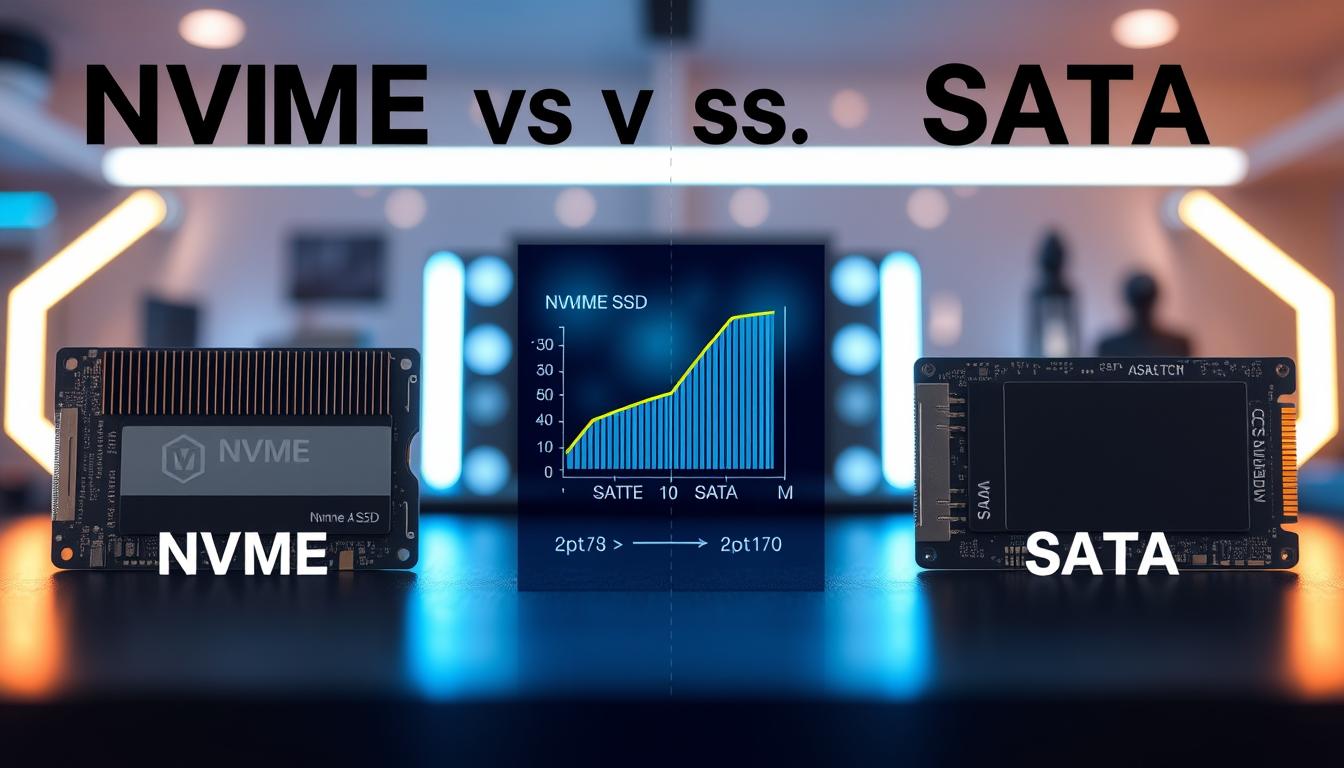
Welcome to the ultimate face-off between two storage heavyweights: NVMe and SATA. In this article, we will break down everything you need to know about these two protocols in a friendly and easy-to-understand way.
Both protocols play a crucial role in powering the SSDs found in your laptop, desktop, or enterprise server. Choosing the right one can significantly impact your daily digital experience. You will discover that NVMe offers a newer, blazing-fast highway for your data, while SATA has served as a reliable workhorse for nearly two decades.
This article will guide you through the technology behind each option. We will compare their raw speed and real-world performance, helping you see where NVMe leaves SATA in the dust and where SATA still holds its own. Additionally, we will explore the costs associated with both consumer and enterprise drives, ensuring you find the best value for your budget.
By the end, you will have a clear understanding of which storage technology fits your unique needs, whether you are building a new PC, upgrading an old one, or planning enterprise infrastructure.
Key Takeaways
- Understand the fundamental differences between NVMe and SATA protocols.
- Learn how these technologies impact SSD performance and speed.
- Discover cost comparisons for consumer and enterprise drives.
- Explore practical applications in gaming, video editing, and data centers.
- Get answers to compatibility questions regarding motherboards and operating systems.
Understanding SSDs: The Foundation for NVMe and SATA
Solid-state drives are revolutionizing how we store and access data in today’s technology landscape. These semiconductor-based storage devices rely on flash memory to keep your information safe and accessible. Unlike traditional magnetic storage like hard disk drives (HDDs), SSDs utilize NAND chips, a non-volatile technology that doesn’t need power to retain data.
Imagine a storage device that works like a super-fast, silent ninja. There are no spinning disks, just tiny chips efficiently storing your data, similar to the memory card in your phone or camera.
What is Solid-State Storage?
Solid-state storage fundamentally changes how quickly your computer can access information. Here are some key points:
- SSDs store persistent data on NAND flash chips, ensuring your documents and applications remain intact even when powered off.
- With zero moving parts, SSDs are silent and shock-resistant, making them less prone to physical failure compared to traditional hard drives.
- The speed difference is staggering: while HDDs are limited by physical rotation speeds, SSDs can access data almost instantly.
How SSDs Differ from Traditional Hard Drives
The transition from HDDs to SSDs marks a significant leap in computing history. According to a recent Gartner report, SSDs are now surpassing HDDs as the preferred industry standard for structured data workloads. This shift highlights the advantages of solid-state storage:
- Faster boot times and application launches enhance overall system responsiveness.
- SSDs improve performance across various systems, making computing experiences feel more fluid and modern.
Importance of Flash Memory and NAND Technology
Flash memory and NAND technology form the backbone of every modern SSD. They organize data into cells that can be read and written thousands of times without degradation. Understanding this technology is crucial, as both NVMe and SATA connect these speedy flash storage devices to your computer’s CPU.
In summary, solid-state drives represent a leap forward in storage technology, providing faster, more reliable, and efficient ways to manage your data.
What is NVMe? Technology and Advantages
Uncover the innovative NVMe technology that is transforming how we interact with storage. NVMe, or Non-Volatile Memory Express, is a modern protocol specifically designed for flash-based SSDs. Unlike older protocols that were adapted from spinning hard drive technology, NVMe was built from the ground up to maximize the performance of solid-state drives.
Overview of NVMe Protocol and PCIe Interface
The NVMe protocol communicates directly with your CPU through the PCIe interface. This setup acts like a superhighway with dedicated lanes, bypassing the slower, legacy controller chips used by traditional storage methods. This direct communication significantly enhances data transfer speeds and overall performance.
Benefits: Parallelism, Low Latency, and Throughput
One of the standout features of NVMe technology is its ability to handle massive parallelism. While older protocols support only a single command queue with 32 requests, NVMe SSDs can manage up to 64,000 command queues. This means tens of thousands of operations can occur simultaneously, drastically improving efficiency.
Low latency is another hallmark of NVMe drives. A streamlined software stack and a polling loop mechanism replace the interrupt-based device drivers of previous generations. This innovation reduces CPU bottlenecks and enhances responsiveness.
Throughput on NVMe SSDs is exceptional. Each new generation of PCIe doubles the available bandwidth. As a result, PCIe 4.0 and 5.0 drives achieve data transfer rates far beyond what traditional storage can offer.
NVMe’s Role in Modern Computing and Emerging Technologies
NVMe storage plays a critical role in today’s computing landscape. It powers everything from ultra-thin laptops and gaming consoles to data centers that run artificial intelligence and machine learning applications. Emerging technologies, such as the Internet of Things and hybrid cloud environments, rely on NVMe’s ability to manage massive parallel workloads with minimal power consumption.
Additionally, NVMe can operate over various fabric interconnects, including Fibre Channel and Ethernet. This versatility makes it suitable for both local storage and networked enterprise deployments.
What is SATA? Technology and Legacy Strengths
Let’s dive into the world of SATA, a technology that has been a cornerstone of data storage for nearly two decades. SATA, which stands for Serial Advanced Technology Attachment, emerged in 2003 as a modern alternative to the older PATA interface. Since then, it has become the go-to standard for connecting storage devices to computers.
SATA has evolved significantly over the years. It offers faster data transfer speeds than its predecessor, PATA, along with more compact cables that improve airflow within your system. This evolution has allowed SATA to maintain its status as a reliable interface for both HDDs and SATA SSDs.
Compatibility with Older Hardware and Devices
One of SATA’s enduring strengths is its backward compatibility. In IDE mode, a SATA drive can be recognized as a PATA device. This feature is particularly useful for users looking to upgrade older systems that lack modern connections. With SATA, you can breathe new life into your legacy hardware.
SATA Features: AHCI Mode, RAID Mode, and eSATA Support
The SATA interface introduced several key innovations:
- AHCI Mode: This mode enhances performance for SATA SSDs by enabling features like Native Command Queuing and hot swapping. You can connect or disconnect drives without shutting down your computer.
- RAID Mode: This powerful feature allows users to combine multiple drives for redundancy or speed. It protects your data by mirroring it across disks or striping it for faster access.
- eSATA Support: eSATA extends the SATA interface to external devices, offering faster transfer speeds than USB. It’s compatible with external hard drives, optical drives, and even legacy media like Blu-rays and DVDs.
SATA SSDs remain a fantastic option for users with older hardware. They fit the same 2.5-inch form factor and use the same cables as traditional laptop hard drives. This compatibility makes upgrades simple and straightforward.
While NVMe has taken the performance crown, SATA’s massive installed base and proven reliability mean it will continue to serve budget-conscious builders, office PCs, and legacy systems for years to come. SATA technology laid the groundwork for the entire SSD revolution, proving that solid-state storage was viable and affordable long before newer technologies emerged.
NVMe vs SATA: Speed and Performance Comparison
When comparing storage technologies, speed and performance are key factors that can make or break your experience. Understanding how these two protocols stack up in terms of data transfer rates and bandwidth is essential for anyone looking to optimize their system.
Data Transfer Rates and Bandwidth Differences
When we put NVMe and SATA head-to-head on raw speed, the numbers tell a dramatic story. SATA SSDs top out around 600 MB/s, while NVMe SSDs routinely hit 3,500 MB/s for reads and 3,300 MB/s for writes. This means NVMe drives can be five to six times faster than their SATA counterparts. You will notice this difference every time you transfer large files, boot your operating system, or launch a demanding application.
Bandwidth is the key differentiator here. NVMe uses the PCIe interface with multiple lanes that double in speed with each new generation. In contrast, SATA’s bandwidth is fixed and cannot scale upward over time. This limitation means that as technology advances, SATA drives will lag behind.
Parallel Command Queues and System Latency
Parallel command queues are where NVMe truly shines. With a queue depth of 64,000, NVMe SSDs can process tens of thousands of commands simultaneously. This ability allows them to handle multitasking effortlessly. In contrast, SATA SSDs are limited to a single queue with just 32 I/O requests, creating a bottleneck when your system tries to read and write data at the same time across multiple applications.
Moreover, system latency is dramatically lower on NVMe. The protocol uses a polling loop instead of interrupt-based drivers, allowing the CPU to communicate directly with storage. This reduction in latency makes NVMe drives better suited for real-time applications, such as artificial intelligence and machine learning.
Impact on Real-World Applications and Workloads
The impact on real-world applications is undeniable. Read and write speeds on NVMe SSDs make them ideal for workloads that demand constant data access, such as 4K and 8K video editing, large database queries, and real-time analytics. For instance, imagine copying a 50GB game file in under a minute on NVMe versus waiting several minutes on SATA.
When comparing how both technologies handle mixed workloads, NVMe’s parallelism means it barely breaks a sweat juggling background tasks. In contrast, SATA can start to feel sluggish under heavy concurrent loads. Boot times shrink to seconds, applications launch almost instantly, and even demanding tasks like 3D rendering and scientific simulations complete noticeably faster on NVMe.
Cost and Affordability: Which Offers Better Value?
Understanding the cost differences between storage technologies can greatly influence your purchasing decisions. The price of SSDs varies significantly between NVMe and SATA options, especially in consumer and enterprise markets.
Price Comparison of NVMe and SATA SSDs in Consumer and Enterprise Markets
Let’s talk dollars and cents. Right now, a 1TB Samsung SATA SSD costs a little over $100, while a comparable 1TB NVMe SSD runs about $170. Budget-friendly NVMe options are rapidly closing that gap, sometimes only $30 to $40 more than their SATA counterparts.
For example, a 1TB SATA SSD might cost around $80-$100, while a 1TB NVMe SSD could range from $120-$200 or more, depending on the brand and specific model. Pricing for enterprise-grade SSDs varies even more, often running into the thousands.
Factors Affecting Cost: Capacity, Form Factor, and Use Case
Several factors influence the cost of SSDs:
- Capacity: Larger drives cost more regardless of protocol. The price gap between NVMe and SATA widens as you move into 2TB and 4TB territory.
- Form Factor: M.2 NVMe SSDs are compact and require no cables, while 2.5-inch SATA SSDs may need mounting brackets and cable management, adding minor hidden costs.
- Use Case: If you primarily browse the web, stream video, and work with documents, a SATA SSD delivers excellent performance at a lower price point. However, for users who regularly transfer large files or edit high-bitrate video, the extra cost of an NVMe SSD is money well spent.
Ultimately, both SATA and NVMe SSDs offer fantastic value compared to the sluggish HDDs they replace. Your choice comes down to balancing your performance needs with your available budget.
Practical Applications: Choosing NVMe or SATA for Different Needs
Choosing the right storage technology can significantly enhance your computing experience, whether for gaming, professional work, or everyday tasks. Understanding how each type performs in various scenarios can help you make an informed decision.
Gaming Performance: Loading Times, Frame Rates, and Stuttering
Gaming performance is where many of us feel the difference between NVMe and SATA most tangibly. NVMe SSDs dramatically reduce loading times in open-world titles like Red Dead Redemption 2 and Cyberpunk 2077. These games rely on fast streaming of textures and assets as you explore vast environments.
Different game genres benefit from these speeds in unique ways. For instance, strategy games like Civilization VI experience faster turn processing on NVMe, while MMORPGs such as World of Warcraft enjoy quicker zone transitions. Battle royale gamers diving into Fortnite or Warzone can gain a split-second edge with NVMe, loading into matches faster than opponents with slower storage.
However, it’s essential to note that frame rates are primarily determined by your graphics card and CPU. Both SATA and NVMe SSDs deliver similar in-game FPS once assets are loaded into memory. Stuttering and texture pop-in are significantly reduced on both types compared to HDDs, but NVMe drives excel in maintaining smooth performance in detailed environments.
Professional Use Cases: Video Editing, Audio Production, and Data Centers
For professional video editors, the advantage of NVMe becomes clear when working with high-bitrate footage above 2,000 Mbps. Projects involving multiple camera angles require simultaneous access to storage, where NVMe’s speed shines. Audio production, however, often remains manageable with SATA SSDs unless handling extensive sample libraries.
Data centers are rapidly adopting NVMe storage. According to an Enterprise Strategy Group report, nearly three-quarters of organizations are already using or planning to switch to NVMe-based SSDs. This shift supports high-performance computing applications like financial trading, artificial intelligence, and machine learning, where low latency and parallel processing capabilities are crucial.
Everyday Use and Budget Considerations
For everyday users checking email, browsing the web, and working on documents, a SATA SSD provides an excellent experience at a lower cost. This makes it a smart choice for budget-conscious builds and family PCs. Both storage options deliver remarkable performance compared to traditional HDDs, but your specific needs will ultimately guide your choice.
Compatibility and Installation: What Your System Needs to Know
Before diving into new storage options, it’s vital to know how they fit with your existing system. Compatibility is crucial when selecting between NVMe and SATA drives. Understanding the requirements can help you avoid issues during installation and ensure optimal performance.
System Requirements for NVMe and SATA Drives
Most modern motherboards come equipped with dedicated M.2 slots. However, not all M.2 slots are created equal. Some only support SATA protocols, while others are fully NVMe-compatible. If you plan to use an NVMe drive as your primary storage, your motherboard’s BIOS must support NVMe boot drives.
M.2 and PCIe Slots: Physical Considerations
Physical installation of NVMe drives is straightforward. The tiny M.2 form factor slots directly into the motherboard and secures with a single screw. This design eliminates the need for power cables and SATA data cables entirely. In contrast, SATA SSDs use the familiar 2.5-inch form factor and connect with standard SATA cables, making them compatible with virtually any desktop or laptop manufactured in the last 15 years.
Operating System and BIOS Support
Most modern operating systems recognize NVMe drives without additional drivers. Windows 10, Windows 11, macOS, and modern Linux distributions all support these drives natively. It’s essential to configure your BIOS settings correctly. This includes enabling AHCI mode for SATA SSDs and ensuring your NVMe drive is detected before attempting to install your operating system.
For users with older systems lacking M.2 slots, PCIe adapter cards offer a clever workaround. These cards allow you to install an NVMe drive in a standard PCIe expansion slot and enjoy most of the speed benefits. Laptop users should pay special attention, as many ultrabooks have soldered storage or limited M.2 slots. Checking your specific model’s upgradeability is essential before purchasing any new drive.
Both technologies are remarkably user-friendly once compatibility is confirmed. We will walk you through the entire installation process so you can upgrade your storage with confidence.
| Feature | NVMe Drives | SATA Drives |
|---|---|---|
| Form Factor | M.2 | 2.5-inch |
| Connection Type | PCIe | SATA |
| Installation Complexity | Easy | Easy |
| Operating System Support | Widely Supported | Widely Supported |
| Compatibility with Older Systems | Limited (may need adapter) | High |
Conclusion: Choosing the Right Drive for Your Needs
Choosing the best storage solution can significantly impact your computing performance and efficiency. After exploring the differences between these technologies, your choice ultimately depends on your unique needs and budget.
If you’re a gamer building a new PC, consider investing in an NVMe SSD for faster load times and smoother gameplay. Budget-conscious users upgrading older systems will find that a SATA SSD offers a fantastic performance boost at a lower price. For professionals in video editing or 3D design, the superior speeds of NVMe can save valuable time.
Enterprise users should look at NVMe solutions like the IBM Storage FlashSystem 5200, which provides compact and powerful performance. As prices continue to decrease, NVMe becomes more accessible, making it a worthy investment for future-proofing your system.
Regardless of your choice, both SSD options offer a significant upgrade over traditional hard drives, enhancing your overall experience. Thank you for joining us on this journey through storage technology!
FAQ
What is the main difference between NVMe and SATA SSDs?
The primary difference lies in speed and performance. NVMe drives utilize the PCIe interface, allowing for significantly faster data transfer rates compared to SATA SSDs, which are limited by the older AHCI protocol.
Are NVMe SSDs worth the extra cost?
Yes, for users who require high performance, such as gamers or professionals in video editing, the speed and efficiency of NVMe drives can justify the higher price. However, for basic tasks, SATA SSDs may be sufficient.
Can I use an NVMe drive in a system that only supports SATA?
No, NVMe drives require a compatible M.2 or PCIe slot. If your system only supports SATA, you will need to stick with SATA SSDs.
How do I know if my system supports NVMe?
Check your motherboard specifications for M.2 or PCIe slots. Additionally, ensure your operating system is up to date, as modern systems typically support NVMe technology.
What are the advantages of using NVMe for gaming?
NVMe drives offer faster load times, improved frame rates, and reduced stuttering in games, enhancing the overall gaming experience compared to traditional SATA SSDs.
Is there a significant performance difference in everyday tasks?
While NVMe drives excel in high-demand applications, everyday tasks may not show a dramatic difference. SATA SSDs still provide a noticeable speed boost over traditional hard drives.
How do I install an NVMe SSD?
To install an NVMe SSD, locate the M.2 slot on your motherboard, carefully insert the drive at an angle, and secure it with a screw. Ensure your BIOS recognizes the new drive before using it.
What factors should I consider when choosing between NVMe and SATA?
Consider your budget, storage needs, and intended use. For high-performance tasks, NVMe is ideal, while SATA may be more cost-effective for general use.