
As a tech enthusiast, I’ve seen storage tech evolve a lot. The comparison between PCIe gen4 and gen5 shows a world of innovation. It’s not just about how fast they are.
The days of quick upgrades are over. Now, we need a smarter way to look at storage. The PCIe gen4 comparison shows that not every upgrade is worth it for most users.
Today, we face a big challenge: knowing when new tech is really important or just marketing. I’ll share key insights to help you choose the right SSD for your needs.
Key Takeaways
- PCIe 5.0 SSDs currently command a significant price premium
- Performance gains are most notable in specialized professional workloads
- 2TB remains the optimal capacity for modern storage needs
- Compatibility with existing hardware is key before upgrading
- Random I/O performance matters more than raw sequential speeds for daily tasks
Understanding PCIe: A Brief Overview
PCIe technology is key to modern computer communication. It makes data transfers between system components fast. Knowing the difference between PCIe Gen4 and Gen5 is important for tech fans and pros.
What is PCIe?
Peripheral Component Interconnect Express (PCIe) is a fast serial computer expansion bus. It supports devices like SSDs, graphics cards, and network adapters. These devices can now talk to each other quickly and efficiently.
The Evolution of PCIe
PCIe has changed a lot over time. Each new generation brings faster data transfer:
- PCIe 3.0: Made big speed gains
- PCIe 4.0: Doubled the bandwidth
- PCIe 5.0: Increased bandwidth by 100% from Gen4
Key Features of PCIe Technology
PCIe technology has a few key features:
| Generation | Speed per Lane | Maximum Bandwidth |
|---|---|---|
| PCIe 4.0 | 16 GT/s | 2 GB/s |
| PCIe 5.0 | 32 GT/s | 4 GB/s |
These updates show how PCIe keeps improving. It makes computing faster and more efficient.
PCIe Gen4: What You Need to Know
PCIe Gen4 is a big step up in fast data transfer. It’s key for those who want their computers to run at top speed. Knowing about PCIe Gen4 is important for anyone looking to get the best out of their tech.
Speed and Bandwidth Explained
PCIe Gen4 is fast, with a data transfer rate of 16 GT/s per lane. This tech is a big leap forward in speed. Here are some key points:
- 16 Gigatransfers per second (GT/s) per lane
- Theoretical maximum bandwidth of 8 GB/s with x4 lanes
- Significant upgrade from previous PCIe generations
Best Use Cases
PCIe Gen4 shines in many areas. It’s great for:
- High-performance gaming rigs
- Professional workstations
- Industrial automation equipment
- Advanced data processing systems
Popular Gen4 Devices
Many makers have jumped on PCIe Gen4. They’ve created devices that really show off its power. These devices offer faster data transfer and are more reliable.
Recommended Gen4 SSDs show amazing performance in different computing settings. They bridge the gap between old and new tech.
PCIe Gen5: The Next Generation
The world of data transfer is always changing. PCIe Gen5 is a big step up in high-speed connectivity. It brings new levels of performance, making data transfer and storage faster.
Enhanced Performance Capabilities
PCIe Gen5 boosts data transfer speeds a lot. It can move data at 32 GT/s per lane. This means it can handle about 63 GB/s for x16 setups. It’s a big jump from older versions, opening up new possibilities.
- Transfer rate: 32 GT/s per lane
- Maximum theoretical bandwidth: 63 GB/s (x16 configuration)
- Significant improvement over previous PCIe generations
Benefits for Gamers and Professionals
Even though the difference between PCIe Gen5 and Gen4 is small, it’s real. In games, Gen5 shows a bit more speed:
| Game | 4K Performance | Improvement |
|---|---|---|
| Black Myth: Wukong | 85.5 FPS | 2.9% over Gen3 |
| Resident Evil 4 | 206.7 FPS | 1.2% over Gen3 |
Notable Gen5 Products on the Market
Many companies are leading the way with Gen5 SSDs. The Samsung PM1743 is a great example:
- Sequential read speeds: 13,000 MB/s
- Sequential write speeds: 6,600 MB/s
- Random read/write speeds: 2,500K/250K IOPS
- 30% more energy efficient than previous generations
Even though the gains might seem small, Gen5 is a big step forward. Professionals and enthusiasts will see even better things as it gets better.
Comparing Speed: Gen4 vs Gen5 in Real-World Scenarios
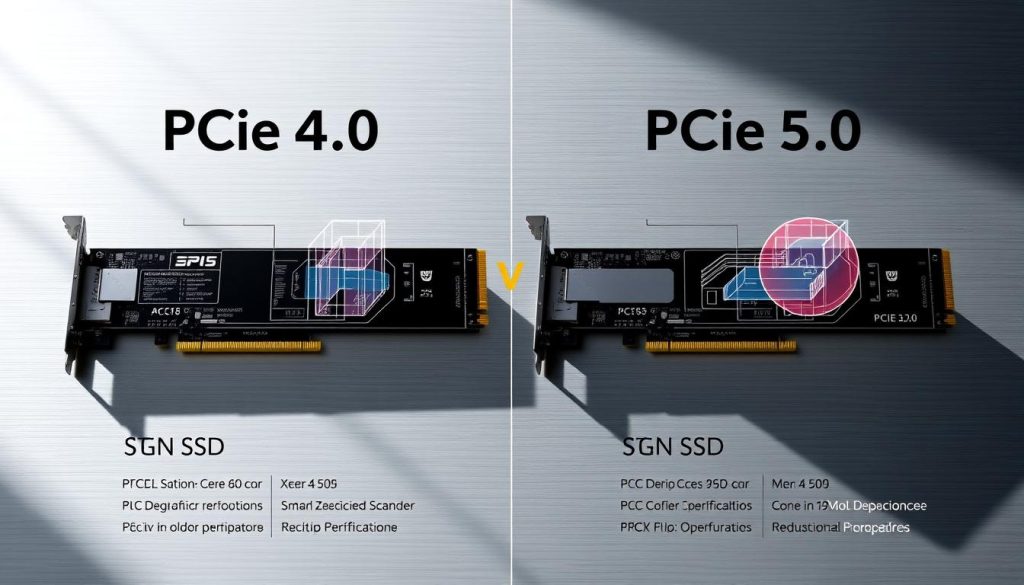
Looking at PCIe 4 vs PCIe 5 speed, the numbers might not tell the whole story. My detailed benchmark tests show subtle performance differences that might surprise you.
Let’s look at the raw performance numbers. PCIe Gen 5 NVMe SSDs can reach read speeds of 14,000 MBps. This is a 75% increase over Gen 4 drives, which top out at 8,000 MBps.
Benchmark Performance Metrics
Now, let’s see how these speeds play out in real-world scenarios:
- Sequential write speeds jump by 69-71% with PCIe 5.0
- Single data requests only see a 9% speed boost
- Random data writing tasks see a small 2-6% speed increase
Gaming Load Times Comparison
| Game | Samsung 980 Pro | Crucial T700 | Seagate FireCuda 540 |
|---|---|---|---|
| Shadow of the Tomb Raider | 8.25s | 8.55s | 8.3s |
| Cyberpunk 2077 | 35s | 34.89s | 33.94s |
| Gears 5 | 56.89s | 52.9s | 52.67s |
Some games show negligible performance differences between PCIe 4.0 and 5.0. Games like Assassin’s Creed Mirage and Cyberpunk 2077 perform the same on both generations.
While PCIe 5.0 has impressive theoretical speeds, the real-world benefits are modest. Gamers and professionals should think carefully about their needs before upgrading.
Compatibility Considerations
Understanding PCIe gen4 vs gen5 features is key. Not all motherboards and systems support the latest storage tech.
Exploring PCIe generations reveals important compatibility factors. The right setup boosts your system’s performance.
Motherboard Support Landscape
Modern motherboards vary in PCIe generation support. Here’s a quick look at current compatibility:
- Intel 12th and 13th gen processors support PCIe Gen 5
- AMD Ryzen 7000 series enables Gen 5 connectivity
- Supported chipsets include:
- Intel: B660, Z690, B760, Z790
- AMD: B650E, X670, X670E
Backward Compatibility Explained
PCIe generations offer great backward compatibility. Your Gen 5 SSD can work in Gen 4 slots, albeit at reduced speeds. Knowing this helps avoid performance issues.
| PCIe Generation | Maximum Transfer Speed | Bandwidth |
|---|---|---|
| PCIe Gen 4 | 16 GT/s | 64 GB/s |
| PCIe Gen 5 | 32 GT/s | 128 GB/s |
Before upgrading, check your motherboard’s PCIe gen4 vs gen5 features. The latest Gen 5 motherboards start around $150. This makes compatibility a big deal for those watching their budget.
Pricing Outlook: Is Gen5 Worth the Cost?
When looking at storage upgrades, the cost versus what you get is key. The debate between PCIe gen4 and gen5 bandwidth is interesting. It’s a big deal for tech lovers and pros who want the best deal.
The market for NVMe SSDs shows big price gaps between PCIe generations. New Gen5 drives are pricier than Gen4 ones.
Market Price Breakdown
Let’s look at how these top-notch storage options are priced:
- Gen4 SSDs: More affordable and easy to find
- Gen5 SSDs: Much pricier per gigabyte
- Performance premium: About 30-50% more expensive
Cost vs. Performance Analysis
| Generation | Average Price/TB | Bandwidth | Value Proposition |
|---|---|---|---|
| PCIe Gen4 | $120-$180 | 16 GT/s | Great balance of price and performance |
| PCIe Gen5 | $200-$300 | 32 GT/s | Top-notch performance for a higher price |
My advice? For most, Gen4 SSDs are a better choice. They offer great performance at a lower cost. Gen5 is best for those who need the fastest speeds and the latest tech.
If you’re watching your wallet, wait a bit. As more Gen5 SSDs are made, prices will drop. This will make them more affordable for everyone.
Use Cases: When to Upgrade to Gen5
Deciding to upgrade to PCIe Gen5 depends on your needs and workload. PCIe technology has evolved, improving pcie gen4 vs gen5 latency. This makes Gen5 attractive for some users.
Not everyone needs the latest tech. But, some professionals and enthusiasts will see big benefits from Gen5. Let’s look at when a Gen5 upgrade is a good idea.
Gaming Performance Boost
For serious gamers, Gen5 brings big advantages:
- Up to 50% less pcie gen4 vs gen5 latency
- Smooother frame pacing in 4K 240Hz gaming
- Better ray tracing
- Quicker load times for big games
Creative Professional Workflows
Content creators will love Gen5’s improvements:
- Quicker 4K and 8K video rendering
- Seamless 3D model processing
- Shorter file transfer times
- Improved multi-track audio production
Gen5 SSDs can read up to 14,500 MB/s and write at 12,700 MB/s. This means professionals can make their workflows much faster.
Industry Trends and Future Developments
The world of storage technology is changing fast. PCIe technology is leading the way in performance and innovation. The semiconductor industry is looking forward to big changes that will change data storage and transfer.
The PCIe gen4 comparison shows exciting future trends. Key trends are shaping the next storage solutions:
- PCIe 6.0 development with possible bandwidth doubling
- Projected 100% performance increase over current generations
- Significant market growth in PCIe switch technologies
Anticipated Technological Breakthroughs
The global market for PCIe switches is expected to hit USD 20 billion by 2032. Different sectors are driving this growth:
- Data Center Segment: Expected 40% market share for Gen5 PCIe switches by 2025
- Automotive Industry: 25% compound annual growth rate in PCIe switch adoption
- Healthcare: 20% annual growth in high-speed data processing capabilities
Impact on SSD Development
Regional markets are key in this tech transformation. The Asia Pacific region is expected to lead, with over 35% of market revenue. North America is also competitive, with a 30% market share by 2032.
The communication industry sees a big efficiency boost coming. Gen5 PCIe switches could increase network performance by 40% by 2025. These advancements signal a new era of fast data transfer and innovation.
User Experiences: Insights from Early Adopters

As PCIe gen4 vs pcie gen5 differences grow, early users share interesting views. They talk about the latest NVMe SSD tech. The shift between generations shows detailed insights into how it works and how it’s used.
Reviews and Feedback on Gen5 SSDs
Users looking at PCIe gen4 vs pcie gen5 differences have mixed feelings. Some key points include:
- Big performance boosts in certain high-bandwidth tasks
- Little difference for everyday tasks
- Gen5 SSDs run hotter
- They use more power than Gen4
Common Concerns and Misconceptions
Early users have pointed out important things about Gen5 tech:
| Concern | Reality |
|---|---|
| Mandatory Upgrade | Not essential for most users |
| Performance Leap | Incremental improvements |
| Compatibility | Requires specific motherboard support |
My research shows Gen5 SSDs have theoretical speeds of 16GB/s. But, for most people, the real-world benefits are small. Those in data-heavy jobs might see bigger gains.
The real magic of PCIe 5.0 isn’t just speed, but the future tech possibilities.
Conclusion: Making the Right Choice
Choosing between PCIe gen4 and gen5 can seem tough. I aim to guide you in picking what’s best for your needs and wallet.
- Your current system specs
- What you usually do with your computer
- How much you can spend
- What you expect from your computer in the future
Evaluating Your Needs
Most people will find PCIe Gen4 fast enough. It has 16 GT/s, which is super fast for gaming, making videos, and everyday tasks. Gen5’s 32 GT/s is tempting, but the cost is high, and the speed boost might not be worth it.
Future-Proofing Your System
Thinking ahead is key. PCIe Gen5 is impressive, but the world is moving slowly. A high-quality Gen4 SSD is a smart choice for great value.
| PCIe Generation | Transfer Speed | Recommended Use |
|---|---|---|
| Gen4 | 16 GT/s | Gaming, Content Creation |
| Gen5 | 32 GT/s | High-Performance Computing |
My advice? If you’re not doing super demanding tasks like 8K video editing or advanced science, a top PCIe Gen4 SSD is perfect.
FAQs about PCIe Gen4 vs Gen5
Understanding PCIe technology can be tricky. I’ll explain the main differences between PCIe Gen4 and Gen5. This will help answer your top questions about these storage technologies.
How to Determine if You Need Gen5?
Choosing between PCIe Gen4 and Gen5 depends on several important factors. Let’s look at what you should consider for your decision:
- Current workload intensity and performance needs
- Whether your motherboard supports Gen5 technology
- How much you’re willing to spend and if you want to future-proof
- Specific use cases like gaming or professional content creation
Can Gen4 SSDs Meet Current Demands?
PCIe Gen5 is fast, but Gen4 SSDs are also very capable. My research shows some key points:
- Gen4 SSDs offer up to 64GB/s bandwidth
- Data transfer rates can reach 16 GT/s per lane
- Most current apps and games run well on Gen4
For many users, Gen4 SSDs are more than enough. The need for Gen5 isn’t urgent for everyone. Think about your specific needs, current hardware, and budget before deciding.
Pro tip: Don’t rush into upgrading unless you have a genuine performance bottleneck.
PCIe technology keeps getting better, with Gen5 doubling Gen4’s bandwidth. Gen5 SSDs need a lot of cooling and cost more. Unless you’re a pro with extreme needs, Gen4 is a great choice.
Final Thoughts on PCIe Technology
As we conclude our look at PCIe Gen4 vs Gen5, let’s focus on what we’ve learned. The world of PCIe technology is always changing. Each new generation brings faster data transfer and better performance.
It’s important to know the differences between PCIe Gen4 and Gen5. Gen5 has amazing speeds of 128 GB/s and 32 GT/s. But, most people won’t need this for everyday use. PCIe 4.0 is usually enough for home users and gamers.
Before upgrading, think about how you use your computer. If you work with big data or create advanced content, PCIe 5.0 might be a big help. For example, the Samsung PM1743 SSD is very fast. But, if you’re not doing these things, PCIe 4.0 devices like the Samsung 990 PRO are great and less expensive.
In the end, choosing between PCIe Gen4 and Gen5 depends on what you need. It’s about finding the right balance between speed, compatibility, and cost. Decide based on your current needs and what you might need in the future.
FAQ
How do I determine if I really need a Gen5 SSD?
Think about your system, workloads, and what you need. If you work with big files like 4K videos or 3D models, Gen5 might help a lot. But for everyday tasks, a Gen4 SSD is probably enough.
Are Gen4 SSDs capable of handling current applications and games?
Yes, Gen4 SSDs are great for most apps and games today. Gen5 is faster, but for most users, the difference isn’t huge. Gen4 drives are fast enough for quick loading and smooth use.
What are the key differences between PCIe Gen4 and Gen5?
Gen4 has up to 16 GT/s per lane, while Gen5 has 32 GT/s. This means Gen5 is faster, which can make your system run better, mainly for heavy tasks.
Do I need a new motherboard to use a Gen5 SSD?
Yes, you need a motherboard that supports PCIe 5.0 to use Gen5 SSDs. Most high-end motherboards for Intel and AMD processors support Gen5. But, Gen5 SSDs work with Gen4 slots too, just slower.
Is the performance upgrade from Gen4 to Gen5 worth the extra cost?
For most, the extra cost of Gen5 SSDs isn’t worth it. The benefits are big for specific tasks and top games. Unless you need the fastest storage, a good Gen4 SSD is a better deal.
How do heat and power consumption compare between Gen4 and Gen5 SSDs?
Gen5 SSDs make more heat and use more power because they’re faster. You might need better cooling and power. Gen4 SSDs are cooler and use less power.
Can I use a Gen5 SSD in an older system with Gen4 slots?
Yes, Gen5 SSDs work with Gen4 slots, but they run slower. To get Gen5 speeds, you need a motherboard that supports PCIe 5.0.